 by Coderica
Team server
One factory floor for the whole team.
Solo agent tools stop at one person's laptop. Run hashd as a shared server and your engineers and their agents work through one backlog, one set of gates and one record, with every action attributed to the person who took it.
Team mode and support come with a commercial agreement with Coderica. Pricing
What changes with a team
Everyone sees the same line.
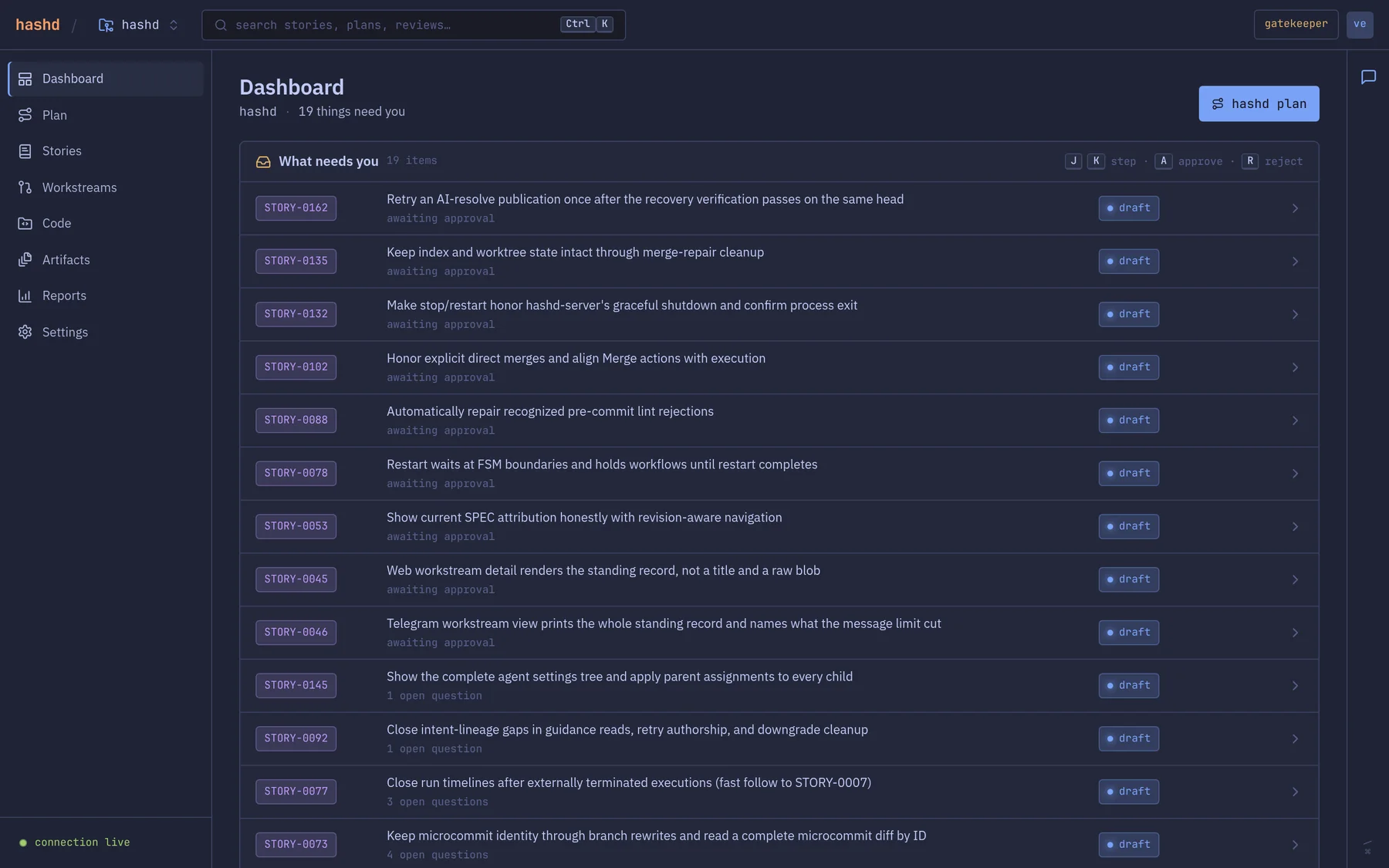
The dashboard answers one question for the whole team: what needs a person right now. Stories waiting for approval, clarifications waiting for an answer and work waiting for review sit in one queue, with the same state in the browser, the terminal and on a phone.
In team mode, hashd list --mine and the dashboard's owner filter narrow the view to your own work, and the full view is always one step away.
The team model
Identity, ownership and credentials, built in.
Not bolted on through a proxy. The server knows who is asking on every request and applies the same rules everywhere.
A person behind every request
Every REST call carries a per-user bearer token. Tokens are stored only as SHA-256 hashes, and passwords are checked with bcrypt at the same cost whether or not the account exists.
Pairing in one command
Off-loopback, the server serves TLS with its own certificate and puts that certificate's fingerprint inside the token. One relayed token gives a client both its identity and a pinned, trusted connection.
Owners, not free-for-alls
Stories, suggestions and workstreams belong to whoever started them. In team mode only the owner can run, approve, merge or reset them. Unassigned work is open to grab, and reassignment is logged.
Everyone brings their own agent
Each member registers their own Claude, Codex or other agent login, encrypted at rest and never returned. A run on your workstream uses your credential, and refuses to start rather than borrow someone else's.
Guarded shared settings
Settings that affect every project, such as which agent runs each stage, can only be changed by an owner or admin. Project settings stay with the project.
A seat for every role
Engineers drive from the CLI and hashd watch. Leads and reviewers use the web dashboard. Approvals and rejections work from Telegram, too.
Setting it up
From one laptop to a team server in a handful of commands.
A fresh install already runs a server on your machine. Point it at a network address, add your teammates, and they pair with a single token. No CA, no proxy, no separate identity provider.
- 1. Make the server reachable. Mint an owner token and bind the server to its LAN address. TLS switches on automatically.
- 2. Add people. Each admin user add prints a one-time token to hand over, or a setup key for password login.
- 3. Everyone pairs and registers their agent. One command to connect, one to register a credential.
# on the server hosthashd auth create --description "server host"hashd server set https://<lan-ip>:1337 --token <owner-token>hashd restart serverhashd config set deployment_mode teamhashd admin user add [email protected] --name "Alice" # on Alice's machinehashd server set https://<lan-ip>:1337 --token <token>hashd statushashd agents login claude
Three ways to run it
Start solo. Grow into a team.
The same binary runs every shape. Solo stays first-class, and nothing about your workflow changes when you add people.
| Shape | Who it is for | What you get | License |
|---|---|---|---|
| Solo, local | One developer on their own machine. | Client and server on one box, one implicit user, no login. The default install. | Free for individuals and teams of up to 10 engineers |
| Remote server | You, driving a server from another machine. | TLS and a token, paired in one command. Work keeps running when your laptop sleeps. | Free for individuals and teams of up to 10 engineers |
| Team server | A team sharing one factory floor. | Named users and roles, per-user tokens and agent credentials, owner-only changes and full attribution. | Commercial agreement, support included |
Put your team's agents on the line.
One command installs hashd and everything it needs except git and a coding agent. Free in solo mode for individuals and teams of up to 10 engineers. Team mode comes with a commercial agreement. Pricing
curl -fsSL https://raw.githubusercontent.com/codr1/hashd-code/main/install.sh | bash
Rolling out to a team?
We work closely with a small group of design partners: hands-on onboarding, a direct line to the people building hashd, and a real say in what we build next.
Become a design partner